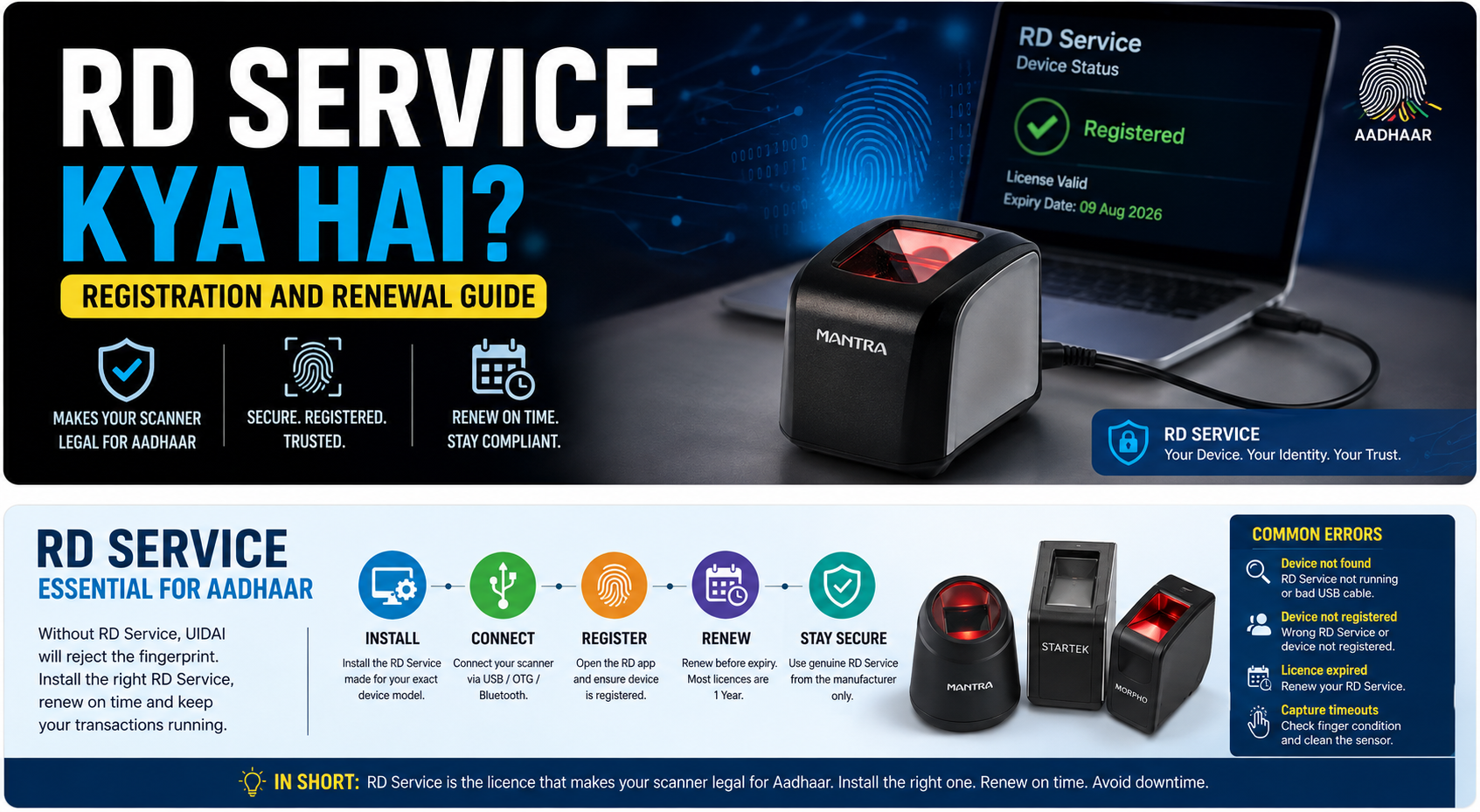
Almost every "my scanner suddenly stopped working" complaint comes down to one thing: RD Service. If you run an Aadhaar centre or a CSP point, you need to understand it. It takes ten minutes to learn and saves you days of lost business.
WHAT RD SERVICE IS
RD stands for Registered Device. RD Service is a small piece of software from the company that made your scanner. It runs quietly in the background on your computer or Android phone.
Its job is to prove to UIDAI that the fingerprint being sent came from a real, registered, untampered device, and not from a photo or a stored copy. It signs and encrypts every capture with your device's own identity.
Without RD Service running, UIDAI simply refuses the fingerprint. Your bank application will show an error, and no transaction will go through. The scanner hardware may be perfectly fine.
ONE SCANNER, ONE MATCHING RD SERVICE
This is where most people go wrong. RD Service is not generic. The RD Service for a Mantra device will not operate a Startek device. You must install the RD Service published by the manufacturer of your exact scanner model.
Download it only from the manufacturer's own site or from the dealer who sold you the device. RD Service installers found on random download sites are a common source of both failures and malware.
INSTALLING IT
On Windows, install the RD Service application, plug in the scanner, and open the management or client tool that came with it. It should report the device status as registered and show a licence expiry date. Windows Defender or another antivirus will sometimes block the service on first run, so allow it if prompted.
On Android, install the manufacturer's RD Service app from the Play Store, connect the scanner by OTG cable or Bluetooth depending on the model, and open the app once so it can register the device before you use your banking app.
You can find the driver and RD Service downloads for the devices we sell at /drivers.
RENEWAL: THE PART PEOPLE FORGET
The RD Service licence is time limited. Most manufacturers sell it per device, commonly as a one year licence, with two and three year options on some models.
When it expires, the scanner stops authenticating. There is no grace period and no warning on the day. Your first sign is usually a queue of customers and a failing transaction.
Note the expiry date the day you install the device. Put a reminder in your phone one month before. Renewal is bought from the manufacturer or your dealer against your device serial number, and it is far cheaper than a lost day of AEPS business.
Some of our listings include the RD Service term as a purchase option, so you can buy a longer licence at the time of order instead of renewing in a hurry later.
COMMON ERRORS AND WHAT THEY MEAN
"Device not found" usually means the RD Service is not running, or the USB cable is a charging-only cable. Try a different cable before anything else.
"Device not registered" means the RD Service installed does not match the scanner, or the device was never registered by the manufacturer.
"Licence expired" means exactly that. Renew it.
Repeated capture timeouts with a working licence are often dry fingers or a dirty sensor surface, not a software problem. Clean the glass with a soft cloth.
IN SHORT
RD Service is the licence that makes your scanner legal for Aadhaar. Install the one built for your exact model, download it only from the manufacturer, and diary the expiry date before it catches you out.