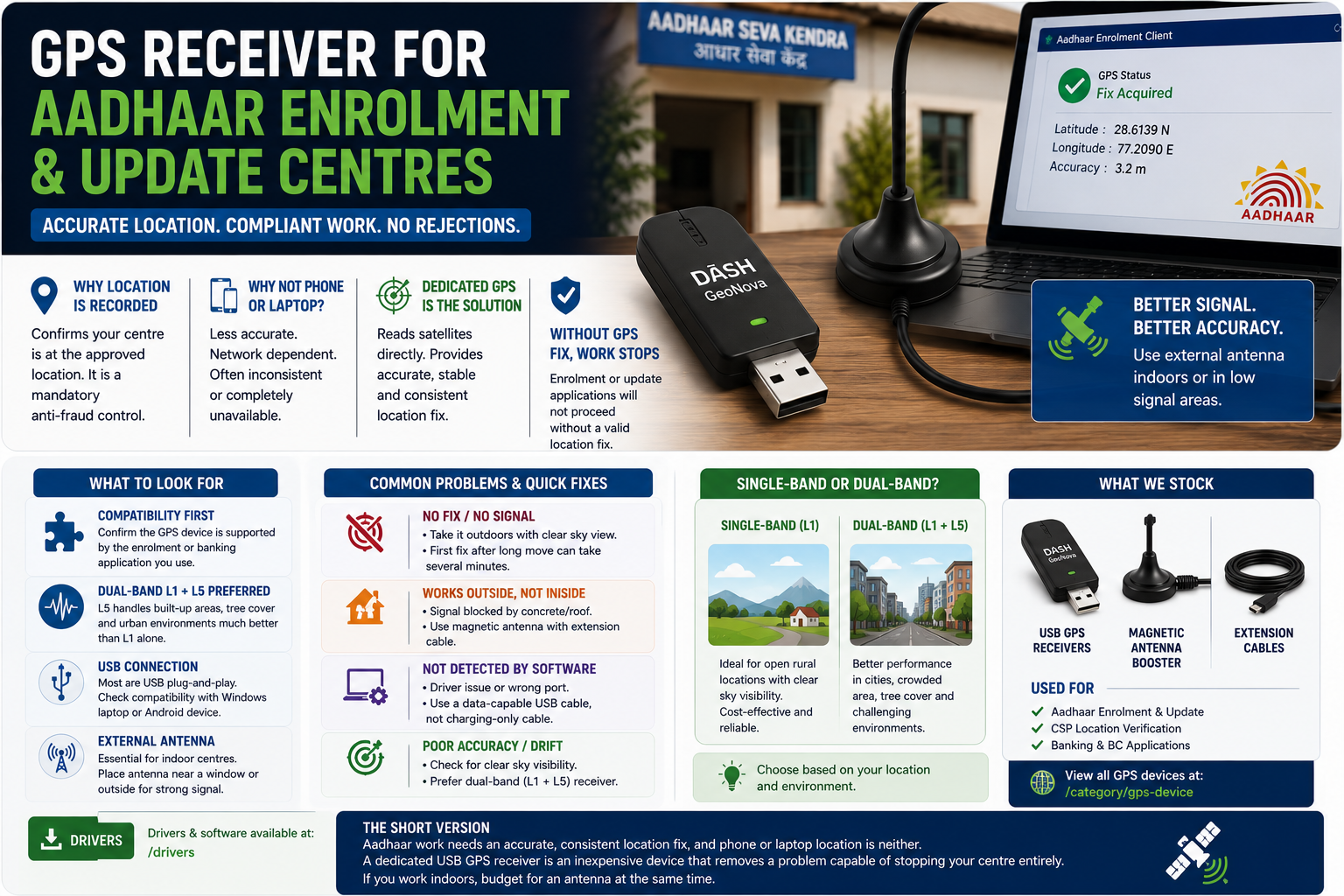
Operators running Aadhaar enrolment or update work often discover the GPS requirement late, usually when an application refuses to proceed. Here is what the device does and why a separate one is needed.
WHY LOCATION IS RECORDED AT ALL
Aadhaar enrolment and update centres are tied to an approved location. Recording the centre's coordinates during a session confirms that the work happened where it was authorised to happen. It is a straightforward anti-fraud control, and the software will not let you work without it.
WHY NOT JUST USE THE PHONE OR LAPTOP
Two reasons.
Accuracy. A phone usually derives its position partly from mobile towers and Wi-Fi networks, not purely from satellites. In a dense town that is close enough for maps, but it can drift well beyond the tolerance the enrolment software expects. In a village with few towers, it can be badly wrong.
Consistency. Laptops and desktops frequently have no GPS hardware at all and infer location from the internet connection, which can place you in another district entirely.
A dedicated USB GPS receiver reads the satellites directly and reports a stable, accurate fix that the software will accept.
WHAT TO LOOK FOR
Check that the receiver is supported by the specific enrolment or banking application you run. This is the first question to ask, before price.
Prefer a dual-band L1 and L5 receiver where your budget allows. L5 is a newer satellite signal that handles built-up areas and tree cover considerably better than L1 alone. In open rural ground a single-band device performs perfectly well; in a crowded market street the difference is noticeable.
Check the connection. Most are USB and simply plug in. Confirm it works with whatever you actually run, whether that is a Windows laptop or an Android device.
Consider an external antenna if your centre is inside a concrete building. GPS signal does not pass through reinforced roofs well. A magnetic antenna on a short cable, placed near a window or outside, fixes a problem that otherwise looks like a broken device.
COMMON PROBLEMS
If the receiver shows no fix, take it outdoors and give it a few minutes. A GPS device needs a clear view of the sky for its first fix after being moved a long distance, and that first lock can take several minutes. Later fixes are much faster.
If it works outside but not at your desk, you need an antenna extension, not a new receiver.
If the software cannot see the device at all, it is usually a driver issue or a charging-only USB cable, the same as with fingerprint scanners.
WHAT WE STOCK
The USB GPS receivers we supply for Aadhaar and CSP work are listed at /category/gps-device, including single-band units for open rural sites and dual-band L1 and L5 receivers for difficult locations, along with magnetic antenna boosters and extension cables for indoor centres.
Drivers are available at /drivers.
THE SHORT VERSION
Aadhaar work needs an accurate, consistent location fix, and phone or laptop location is neither. A dedicated USB GPS receiver is an inexpensive device that removes a problem capable of stopping your centre entirely. If you work indoors, budget for an antenna at the same time.