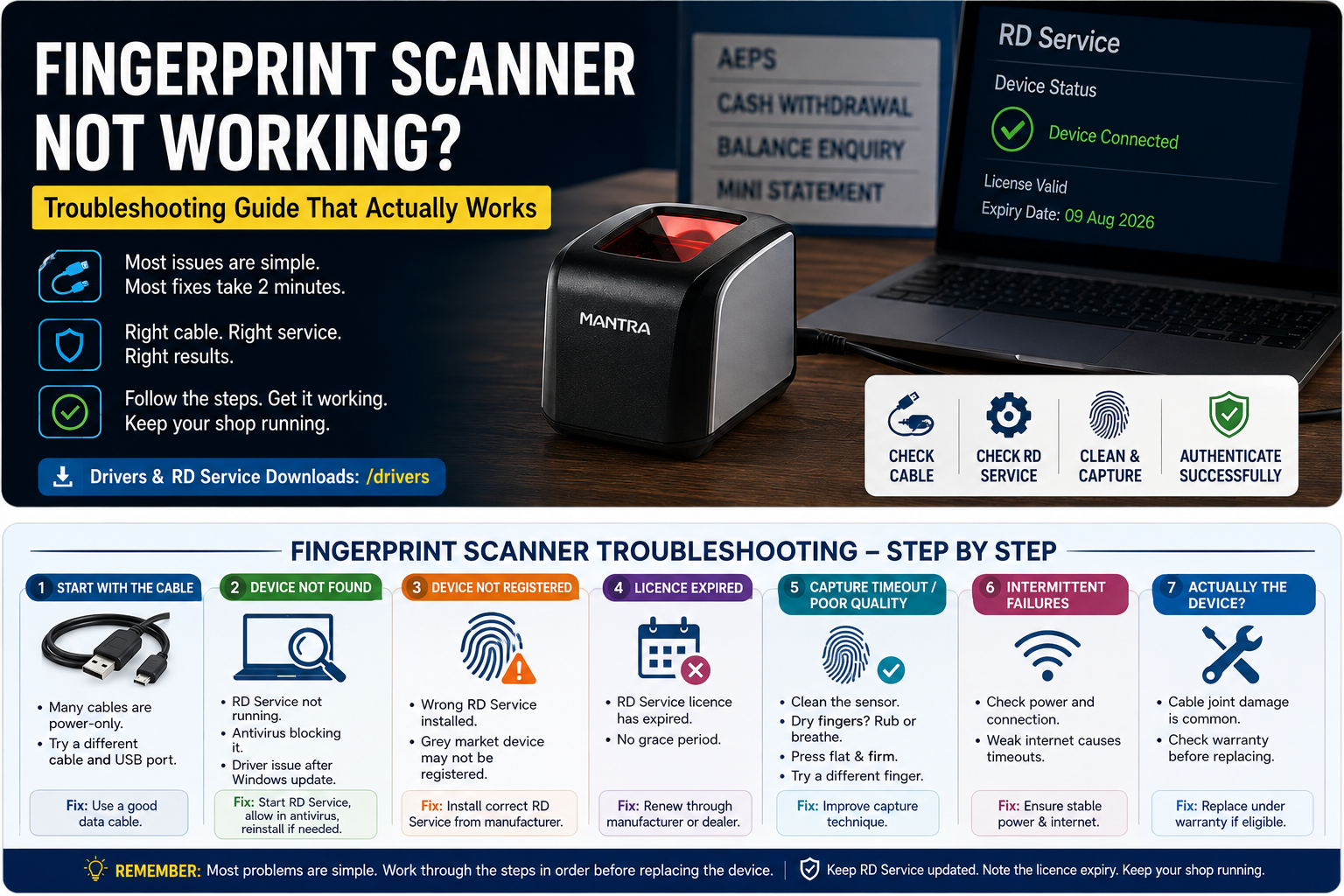
A fingerprint scanner that will not authenticate stops your whole shop. Most of the time the hardware is fine and the fix takes two minutes. Work through these in order before you assume the device is dead.
START WITH THE CABLE
Before anything else, swap the USB cable. Many cables sold with phones carry power only and no data. The scanner will light up and look alive while the computer cannot see it at all. This is the single most common cause of "device not found", and the cheapest to rule out.
Also try a different USB port, and plug directly into the computer rather than through a hub. Scanners draw more power than a hub often supplies.
"DEVICE NOT FOUND"
If the cable is good, the RD Service is probably not running. Check that the RD Service application is actually started, not just installed. On Windows, restart it from the service manager or simply reboot.
Your antivirus may be blocking it. Security software frequently quarantines RD Service because it watches USB traffic. Add it to the exceptions list.
If you recently updated Windows, reinstall the RD Service. Updates sometimes remove the driver.
"DEVICE NOT REGISTERED"
The RD Service you installed does not match your scanner. A Mantra RD Service will not run a Startek device, and vice versa. Uninstall it and install the one published by your device's actual manufacturer, downloaded from the manufacturer's own site.
If it is the correct RD Service and the device still reports unregistered, the unit may never have been registered by the manufacturer, which happens with grey market imports. Contact your seller with the serial number.
"LICENCE EXPIRED"
The RD Service licence has run out. There is no grace period. Renew it through the manufacturer or your dealer against the device serial number. Note the new expiry date immediately.
CAPTURE TIMEOUT OR POOR QUALITY
If the device is recognised but fingerprints keep failing, the problem is usually physical.
Clean the sensor glass with a soft dry cloth. Dust and oil build up fast in a shop environment.
Dry fingers are the biggest cause of repeated failure, especially among farmers, labourers and elderly customers. Ask the customer to rub their fingertips together, or breathe on them lightly. A tiny amount of moisture transforms the read.
Press flat and firm, not hard. Rolling or pressing too hard distorts the ridges.
Try a different finger. Thumbs often read better than index fingers on worn hands.
If a particular customer fails every time across multiple fingers, their fingerprints may genuinely be too worn. This is common and it is exactly what iris authentication exists for. An iris scanner such as the Mantra MIS100V2 will authenticate customers whose fingerprints never will.
INTERMITTENT FAILURES
If it works sometimes and not others, suspect power or connection quality rather than the device. A weak internet link causes authentication timeouts that look like scanner errors. Check whether your failures cluster at particular times of day, which usually points at network congestion.
WHEN IT IS ACTUALLY THE DEVICE
Hardware failure does happen, most often to the cable joint where it enters the scanner body. If the device works only when the cable is held at a certain angle, that joint has gone and the unit needs replacing.
Check your warranty before buying a replacement. Most devices we sell carry a manufacturer warranty, and the term is listed on each product page.
Driver and RD Service downloads for the devices we supply are at /drivers.